

Every buoy logged,
even out of range.
The fishing log for lobster and crab captains. Where you fished, what you hauled and what you landed — on the wheelhouse iPad, with no signal, and your spots kept to yourself.
Made on the water
If you can use a phone, you can use this. Big buttons, plain words, nothing to set up at sea — made with a lobster captain from LFA 25, for the way a day on the water actually goes.
01On deck
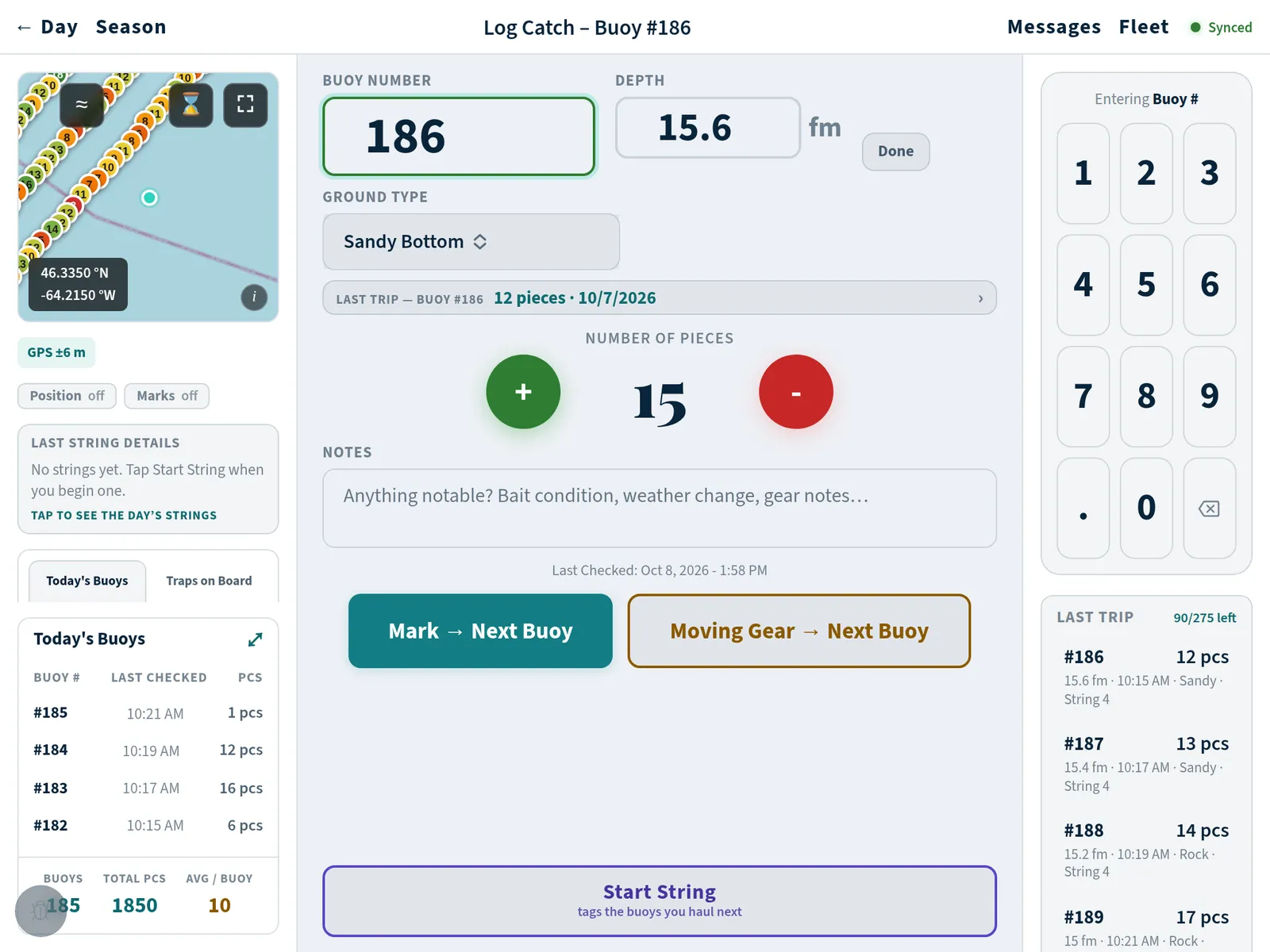
Big keys for cold hands.
- Buoy number, pieces, next buoy. One tap each, with gloves on.
- The spot is saved where you haul, not where you remember to press save.
- Last trip’s catch for that buoy is right there as you log it.
02Out of range
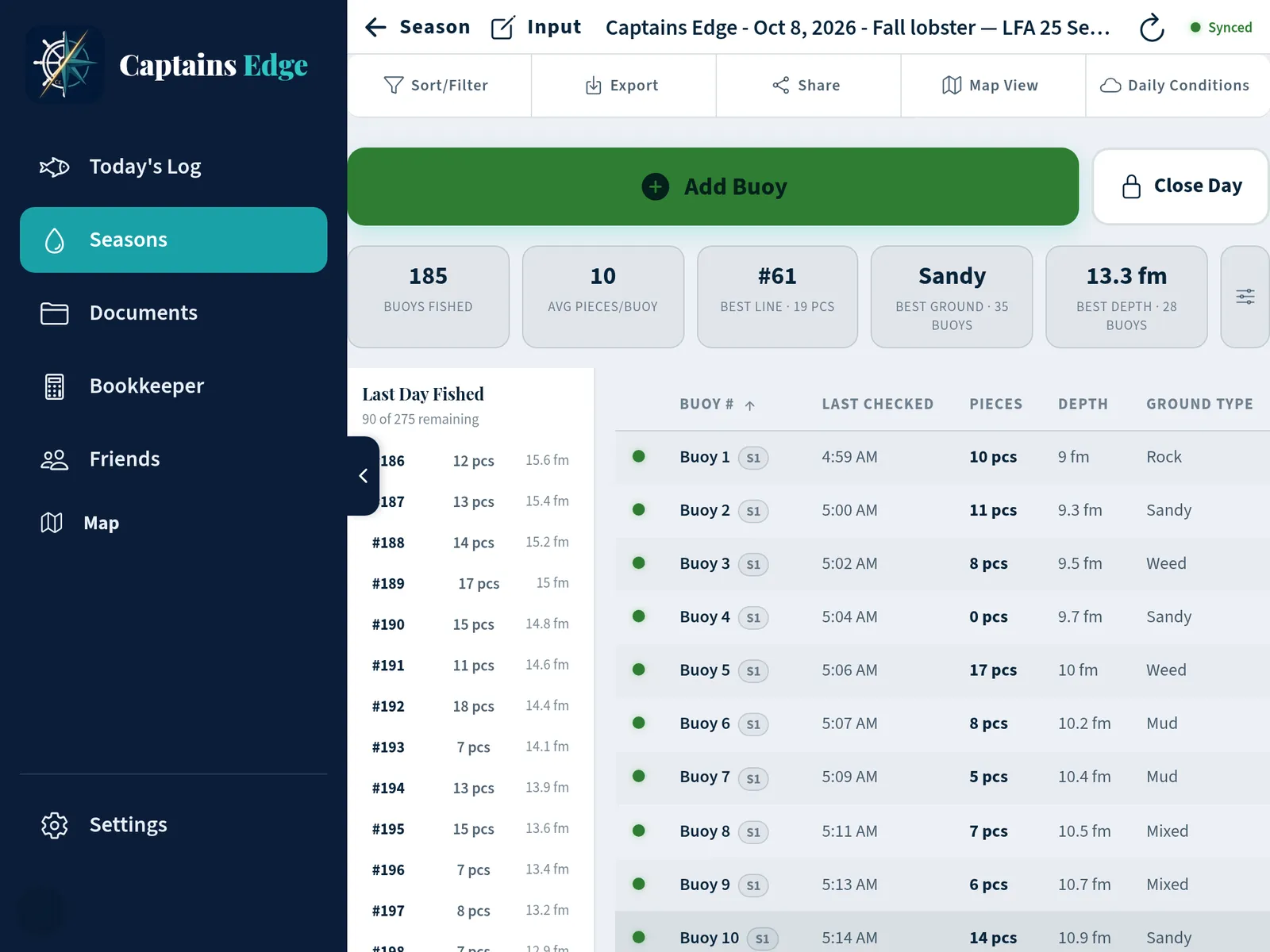
No signal? Nothing changes.
- Everything is saved right on your iPad or phone.
- Every screen works offshore, the chart too.
- Back in signal, it backs itself up. Nothing to press.
03On the chart
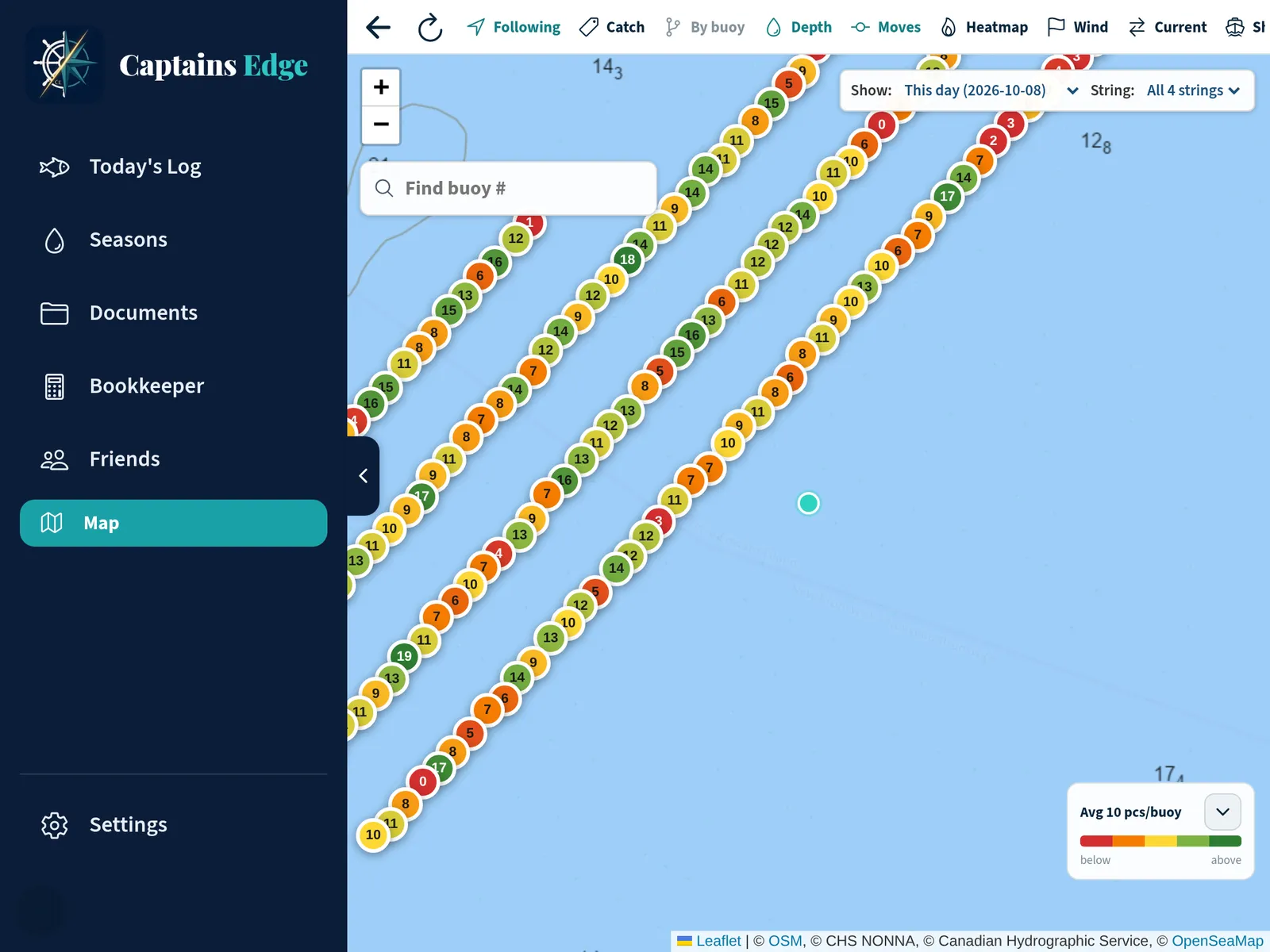
See which strings are fishing.
- Your strings on the Canadian Hydrographic Service chart.
- Each buoy coloured by its catch, so the good ground stands out.
- Find any buoy by number, day or string.
04At the dock
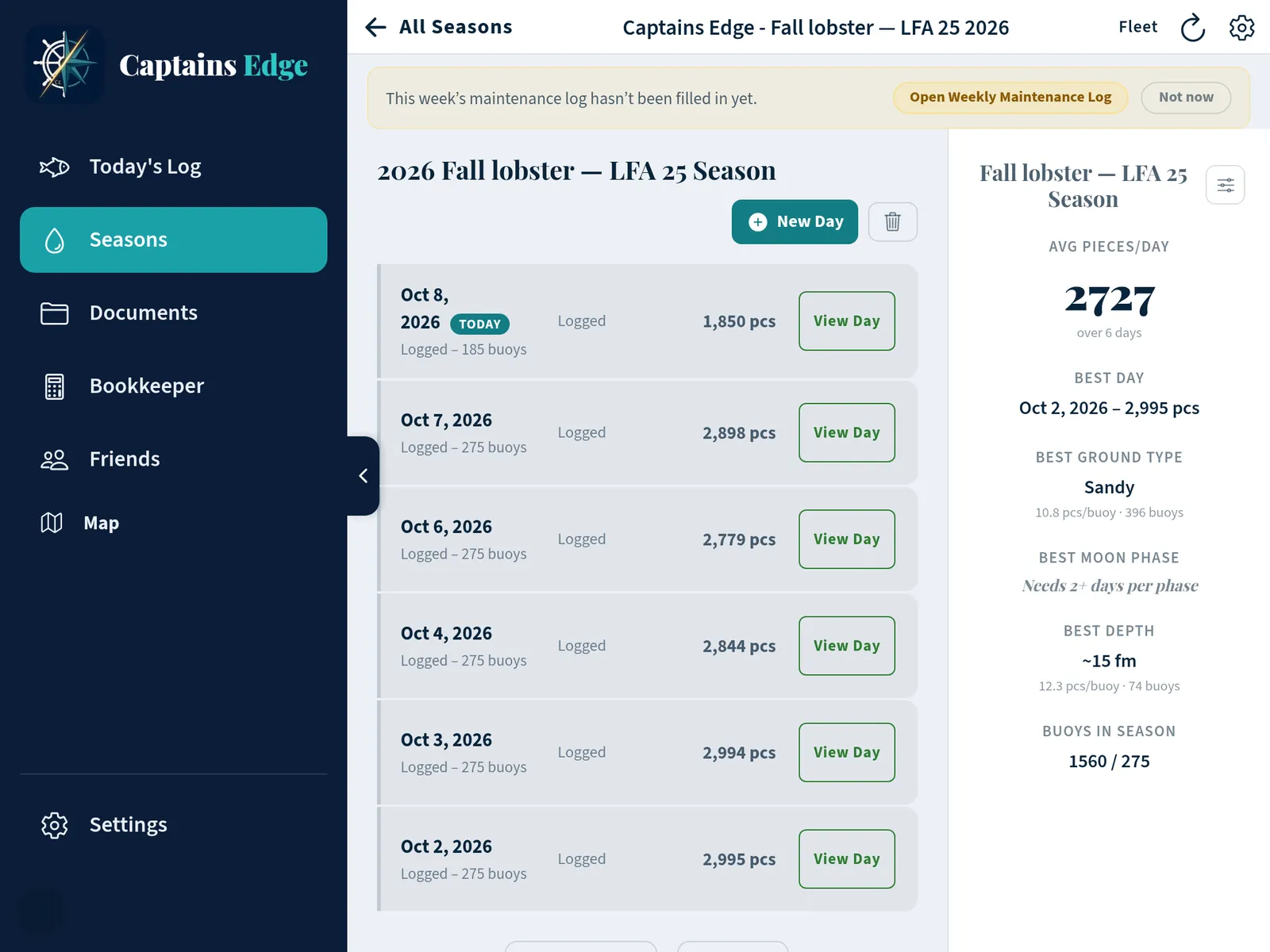
The whole season, worked out.
- Every day of the season and what it fished.
- Best day, best ground, best depth. No spreadsheet.
- Licences, safety papers and crew shares in the same app.
Your spots
Your spots stay yours.
Sharing is off to start with. Turn it on and only the captains you pick see your marks and where your boat is. One tap stops it. Everything is kept in Canada.
05DFO logbook
Send your logbook to DFO from the boat.
The lobster logbook for every Atlantic region, the inactivity report and the marine mammal report, in English and French. Close the trip, check what’s going, and it sends itself when the signal comes back.
Going through DFO approval — not approved yet
Questions
What captains ask first.
What if there’s no signal?
Nothing changes. Everything you enter is saved right on your iPad or phone, and every screen works out of range — the chart too.
When you’re back in signal, it backs up to your account by itself. You don’t have to do anything.
Who sees my spots?
Nobody, unless you choose to share. Sharing is off to start with. If you turn it on, only the captains you pick can see your marks and where your boat is, and you can stop it any time with one tap.
Everything is kept on servers in Canada, in Montréal. Read the privacy policy.
Does it send my logbook to DFO?
It will. The electronic logbook is built to Fisheries and Oceans Canada’s standard and is going through DFO’s approval for third-party apps. It is not approved yet, and this page will say so until it is.
Nothing is ever sent to DFO without you seeing exactly what is going and saying yes.
What does it cost?
Pricing will be on this page before the app is in the stores. Ask to be told and you’ll hear it first.
Which fisheries and devices?
Lobster and snow crab in the Gulf of St. Lawrence. iPad, iPhone, and Android phones and tablets. Fish something else? Tell us — the next fisheries we add will be the ones captains ask for.
Get the app
Coming to the App Store and Google Play.
For iPad, iPhone, and Android phones and tablets.